MS Word Verbal Substitution Program : Overview with Screenshots
The following "verbal substitution program" makes reading dense
passages with
complex terminology easier by providing an easy to use interface for
pasting in the definitions for
difficult terms directly into the passage. This makes it both easier
for the reader to understand the passage and to learn the new terms and
allows users to share a database of definitions for a particular
document amongst each other.
Please note that
the interface (button image/color/orientation/interactivity) shown below can be
easily modified to be more visually appealing or to meet your
needs/specifications.
The simplest interface was chosen as a default.
Below is an example of a how a law
student (user) would use the verbal substitution program to better
understand a short passage from a contracts passage, to illustrate how
the verbal substitution program works.
This is the original MS Word
passage before the user uses the program to paste in definitions
for the terms he has a hard time understanding and
remembering (difficult terms are in bold), making reading the
passage and learning the terms easier.
Original Passage:
In consideration for a new bicycle defendant promised to give
plaintiff the deed to his land since they were lifelong friends and he knew
plaintiff needed a house for his family. In anticipation of receiving the deed
to defendant’s house, plaintiff moved from Nebraska
to where defendant resided in California
and quit his job. When plaintiff gave defendant consideration of the new bicycle, defendant broke his promise and
refused to give him the deed to his home. Under a promissory estoppel theory, plaintiff sued defendant for the title
to the deed of defendant’s home as plaintiff did in fact provide valid consideration to defendant.
First the user accesses the verbal
substitution program from the file menu (not shown) and the
"definitions screen" below appears :
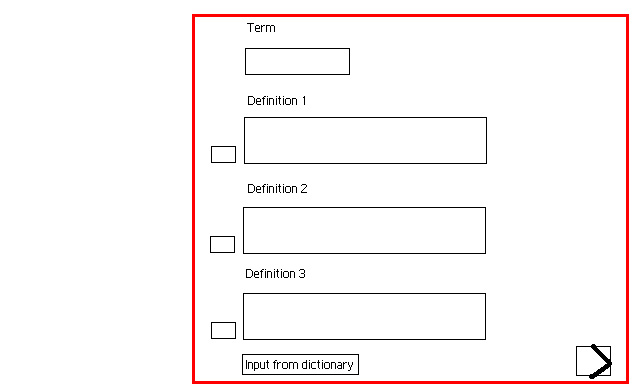
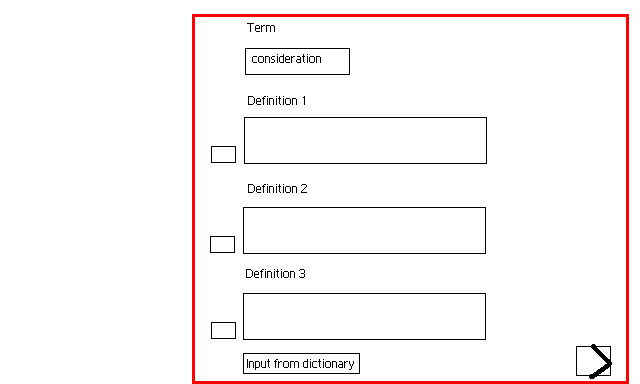
The user then types the first term he wishes to define, here "consideration" :
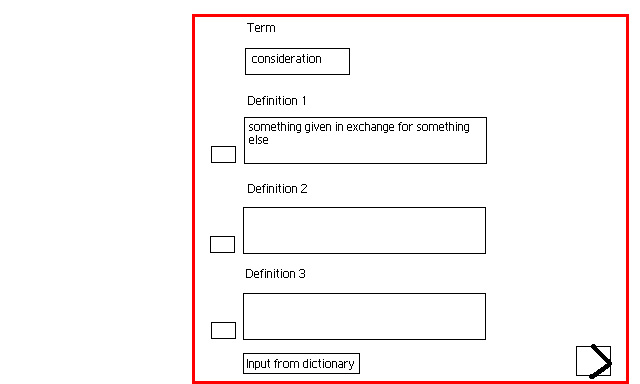
He then types in his own definition for "consideration" in the Definition 1 field :
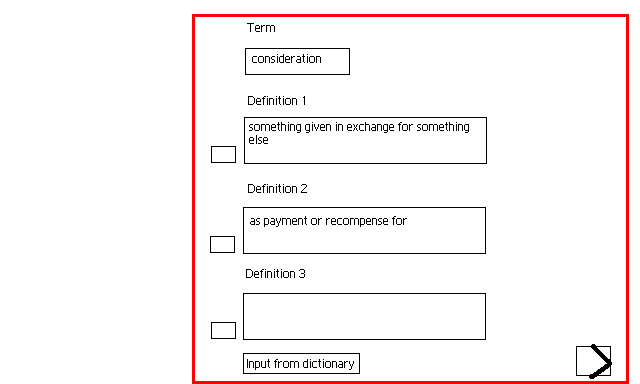
He then types in his own alternate definition for "consideration" in the Definition 2 field :
For the Definition 3 field he clicks on the "Input from dictionary"
button and inputs a definition for "consideration" automatically from a dictionary linked
to the program :

The program stores all the definitions
the user has defined for the
term "consideration". The user then clicks on only the first
checkbox for definition one which designates that the program will only
paste in the first definition of the three into the passage (shown
later in this presentation).

The user then clicks on the next arrow
in the bottom right corner to
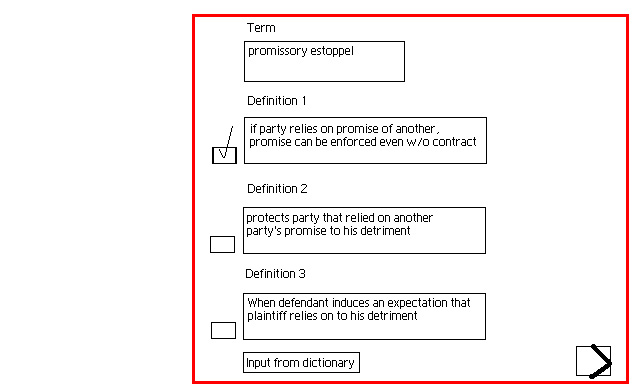
move to a new screen to define a new term, here "promissory estoppel"
and similar to the consideration term, types in the term "promissory
estoppel", manually types in 2 definitions for it, then clicks on the
"Input from dictionary" button to paste in the third definition from
the online dictionary and finally clicks on the first checkbox to
denote that the user wishes only the first definition to be pasted into
the passage.
Now that the user has defined both
terms and their definitions, which are automatically saved into the
program's database, he closes the "definitions" screen (not shown) and
he selects "Input definitions" from the File menu (also not shown)
which pastes in the definitions selected and highlights them in green
into passage as shown below. The user can always change the
highlighting color or turn it off from the file menu (not shown). The
original passage is shown first to make the changes clear :
Original Passage
In consideration for a new bicycle defendant promised to give
plaintiff the deed to his land since they were lifelong friends and he knew
plaintiff needed a house for his family. In anticipation of receiving the deed
to defendant’s house, plaintiff moved from Nebraska
to where defendant resided in California
and quit his job. When plaintiff gave defendant consideration of the new bicycle, defendant broke his promise and
refused to give him the deed to his home. Under a promissory estoppel theory, plaintiff sued defendant for the title
to the deed of defendant’s home as plaintiff did in fact provide valid consideration to defendant.
After definitions for “consideration” and “promissory estoppel” are
substituted in :
In consideration (Something
given in exchange for something else) for a new bicycle defendant
promised to give plaintiff the deed to his land since they were lifelong
friends and he knew plaintiff needed a house for his family. In anticipation of
receiving the deed to defendant’s house, plaintiff moved from Nebraska
to where defendant resided in California
and quit his job. When plaintiff gave defendant consideration (Something
given in exchange for something else) of the new bicycle, defendant broke his
promise and refused to give him the deed to his home. Under a promissory estoppel (If party relies on promise of
another, promise can be enforced even w/o contract) theory, plaintiff sued defendant for the title
to the deed of defendant’s home as plaintiff did in fact provide valid consideration (Something given in exchange for something else)
to defendant.
Alternatively the user decides he
wants a variety of definitions substituted into the passage for the
term "consideration" allowing him to learn this word and understand
this passage at a much deeper level. The
user then accessses the "definitions screen" from the file menu and
clicks on all three checkboxes for the term "consideration".
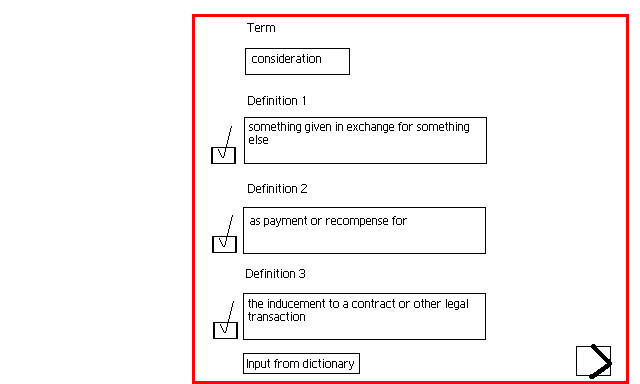
The user then closes this screen and selects "Input definitions" from the File menu
(also not shown) which pastes in the 3 definitions for "consideration" randomly into the passage and the
one definition selected before for "promissory estoppel". Again, the original passage
is shown below before the passage with the definitions selected pasted
in.
Original Passage
In consideration for a new bicycle defendant promised to give
plaintiff the deed to his land since they were lifelong friends and he knew
plaintiff needed a house for his family. In anticipation of receiving the deed
to defendant’s house, plaintiff moved from Nebraska
to where defendant resided in California
and quit his job. When plaintiff gave defendant consideration of the new bicycle, defendant broke his promise and
refused to give him the deed to his home. Under a promissory estoppel theory, plaintiff sued defendant for the title
to the deed of defendant’s home as plaintiff did in fact provide valid consideration to defendant.
After 3 definitions for consideration and 1 definition for promissory
estoppel pasted in :
In consideration (Something
given in exchange for something else) for a new bicycle defendant
promised to give plaintiff the deed to his land since they were lifelong friends
and he knew plaintiff needed a house for his family. In anticipation of
receiving the deed to defendant’s house, plaintiff moved from Nebraska
to where defendant resided in California
and quit his job. When plaintiff gave defendant consideration (As
payment or recompense for) of the new bicycle, defendant broke his
promise and refused to give him the deed to his home. Under a promissory estoppel (If party relies on promise of
another, promise can be enforced even w/o contract) theory, plaintiff sued defendant for the title
to the deed of defendant’s home as plaintiff did in fact provide valid consideration (The inducement to a contract or other legal
transaction) to defendant.
OTHER FEATURES :
1. If the user does not wish to
manually type in any definitions for terms he finds hard, he can simply
type in the terms he wishes to define into the "definitions screen" and
select "define all" from the file menu (not shown) and the program will
automatically paste in all the definitions for these terms into the
passage as defined by the dictionary linked to this program. The user
can of course print the transformed passage or read it on screen.
2. If the user wishes to :
1. "Turn off" showing the definition for particular term because he no longer needs to see it, or
2. Wishes to turn off definitions for all words in the passage, displaying the original passage he can select both these options from the file menu (not shown)
3. The database of definitions
saved for a particular document can be accessed by others through a
free plug-in for the Verbal substitution program, which allows readers
to access
the features of verbal substitution program without actually buying it (not shown). This allows Verbal substitution program to be used with the mainstream public, as the plug-in allows people to access a version of the verbal substitution program
which gives them access to the database of definitions created for a
particular document and use the features of this program for free.
However, users cannot add/delete or edit the database of definitions,
or use the verbal substitution program on any new documents. This is similar to how adobe acrobat reader works.
DIFFERENCES FROM MAJOR COMPETITORS :
While MS Word has a find/replace tool which allows the user to
find/replace words one at a time and there are batch find/replace
programs available that allow the user to find/replace multiple terms
with other words, this is the only program that allows the user to :
1. Automatically paste in definitions for difficult terms from a linked dictionary
2. Allows the user to choose
among 3 different definitions for each term or even have multiple
definitions for the same term pasted into the passage (see the
"consideration"
example above).
3. Pastes in entire definitions
for words in an easy to see highlighted, parenthetical format.
4. Allows the user to easily
select or deselect which terms should have definitions pasted into the
passage, giving the user flexibility as he becomes more or less
comfortable with certain terms.
5. Allows users to toggle off and
on displaying definitions for certain terms or all terms giving the
user a very customized learning experience and allowing him toggle off
displaying the definitions as soon as he no
longer requires them.
6. Allows users to a save a
database of definitions for a particular document accessible to others
for free by using the free verbal substitution plug-in (see #3 under
OTHER FEATURES above).
CONCLUSION :
This verbal substitution program will give a students and professionals
or anyone who need to read dense passages an easy tool to make
understanding dense passages a snap and transfering a database of
definitions for a document to others. It is the only tool like it and
is
economical yet very powerful in its ability to improve the
comprehension and retention of difficult passages.